Try the bundled shareware
Open DiabloWeb and select Play Shareware. Wait for its data download and engine initialization before creating a character.
DiabloWeb brings the original action RPG to WebAssembly. Try bundled shareware, or select DIABDAT.MPQ from your owned Diablo installation for the full game.
ORIGINAL
Diablo · Blizzard Entertainment · 1996
BROWSER ENGINE
DiabloWeb · Devilution-derived WebAssembly
TRY FIRST
Bundled spawn.mpq shareware
FULL GAME
Owned DIABDAT.MPQ required
Open DiabloWeb and select Play Shareware, or Select MPQ for your owned DIABDAT.MPQ. The bundled shareware download is about 50 MB according to the project interface.
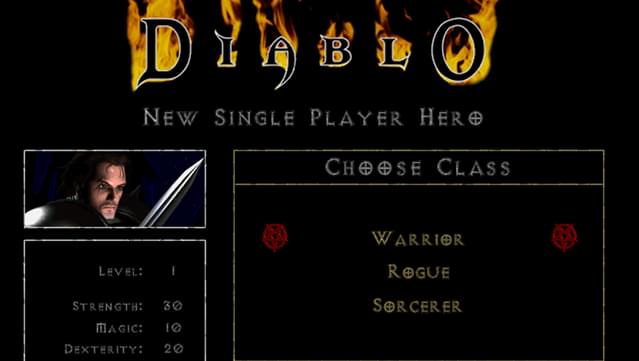
Diablo is Blizzard’s classic action RPG of dungeon exploration, loot and character development beneath Tristram. DiabloWeb adapts the reconstructed Devilution engine to WebAssembly with a JavaScript frontend. Its hosted shareware option is an entry point without retail data; the full original game needs DIABDAT.MPQ from your own installation.
Open DiabloWeb and select Play Shareware. Wait for its data download and engine initialization before creating a character.
Install your owned original Diablo copy, find DIABDAT.MPQ and drop it onto DiabloWeb or use Select MPQ. A GOG installer executable is not the game-data file.
Use Manage Saves to download a character save. The project also accepts .sv imports. Export a backup before clearing browser storage or moving to a different browser.
These inputs describe the linked project or original game. Follow the platform-specific notes and the primary documentation before starting.
| ACTION | INPUT | NOTES |
|---|---|---|
| Move / interact / attack | Left click | Click the destination or highlighted target; original Diablo mouse controls. |
| Use an item | Right click in inventory / belt | Targeted items may then ask you to left-click a target. |
| Inventory / character / quests | I / C / Q | Original PC-game shortcuts; browser shortcuts can take precedence. |
| Automap / spellbook | Tab / B | Tab toggles the map; B opens the spellbook. |
| Belt item / stand still | 1–8 / Hold Shift | Belt slots show item hotkeys; Shift prevents movement while attacking. |
| Menu / help | Esc / F1 | F1 is the original help key and may be intercepted by the browser. |
The author publishes the frontend and a separate engine fork used to compile the WebAssembly modules. DiabloWeb and the modern DevilutionX project are different implementations; this guide does not transfer DevilutionX features to the web build.
The open engine does not make the retail archive free. The project distributes shareware spawn.mpq and expects user-supplied retail DIABDAT.MPQ.
HTTP OBSERVATION
Not checked · No HTTP result
Not checked
PROBE DURATION
—
Page request time, not gameplay latency.
BROWSER GAMEPLAY CHECK
Not completed
Review: candidate
HTTP reachability does not verify rendering, controls, audio or multiplayer. Refresh reads the published snapshot; it does not run a new game test.
| CHECKED AT | STATUS | PROBE DURATION | NOTES |
|---|---|---|---|
| No recorded HTTP observations are available for this project. | |||
Recorded HTTP responses and page markers. Game performance may differ.
Images are published on the Diablo + Hellfire GOG product page. They illustrate the commercial game; they are not captures of a verified DiabloWeb session. Diablo © Blizzard Entertainment.
Choose the .MPQ archive from an installed original Diablo copy, not setup.exe or a ZIP containing it.
Check the browser and site origin originally used. Look in Manage Saves and import an exported .sv file if available. Avoid deleting storage until a backup is secured.
The project’s error screen links to GitHub and may offer the current save for download. Include browser details and that save when filing an upstream issue.
The store bundle contains Hellfire, but DiabloWeb’s documented full-game importer names DIABDAT.MPQ. Hellfire support is not established by this project’s README.
The project offers shareware. Its full-game mode requires an owned retail archive.
The source includes touch UI and the README discusses mobile play. Device-specific rendering, audio and input still require hands-on verification.
No Battle.net compatibility has been verified here. A separate multiplayer session must be tested before making connectivity claims.
Editorial review: 2026-10-17 10:45:07 UTC · This date records source research, not a gameplay test.