REQUIRES FILESrevcDOS · DOS.ZoneSource-linked project & access information

Grand Theft Auto: Vice City in Browser

DOS.Zone’s revcDOS is a browser reVC port requiring compatible data from your owned original PC edition. Browser gameplay remains unverified.

BROWSER PROJECT

revcDOS · DOS.Zone Team

RUNTIME

reVC browser port · WebAssembly

GAME DATA

Owned original Vice City data; conversion required

VERIFICATION

Source reviewed; browser gameplay not verified

Open revcDOS goes to DOS.Zone’s own-files browser project. Prepare compatible data from your owned original PC edition using its instructions. Get Official Edition opens the commercial remaster store and does not supply confirmed compatible revcDOS assets.

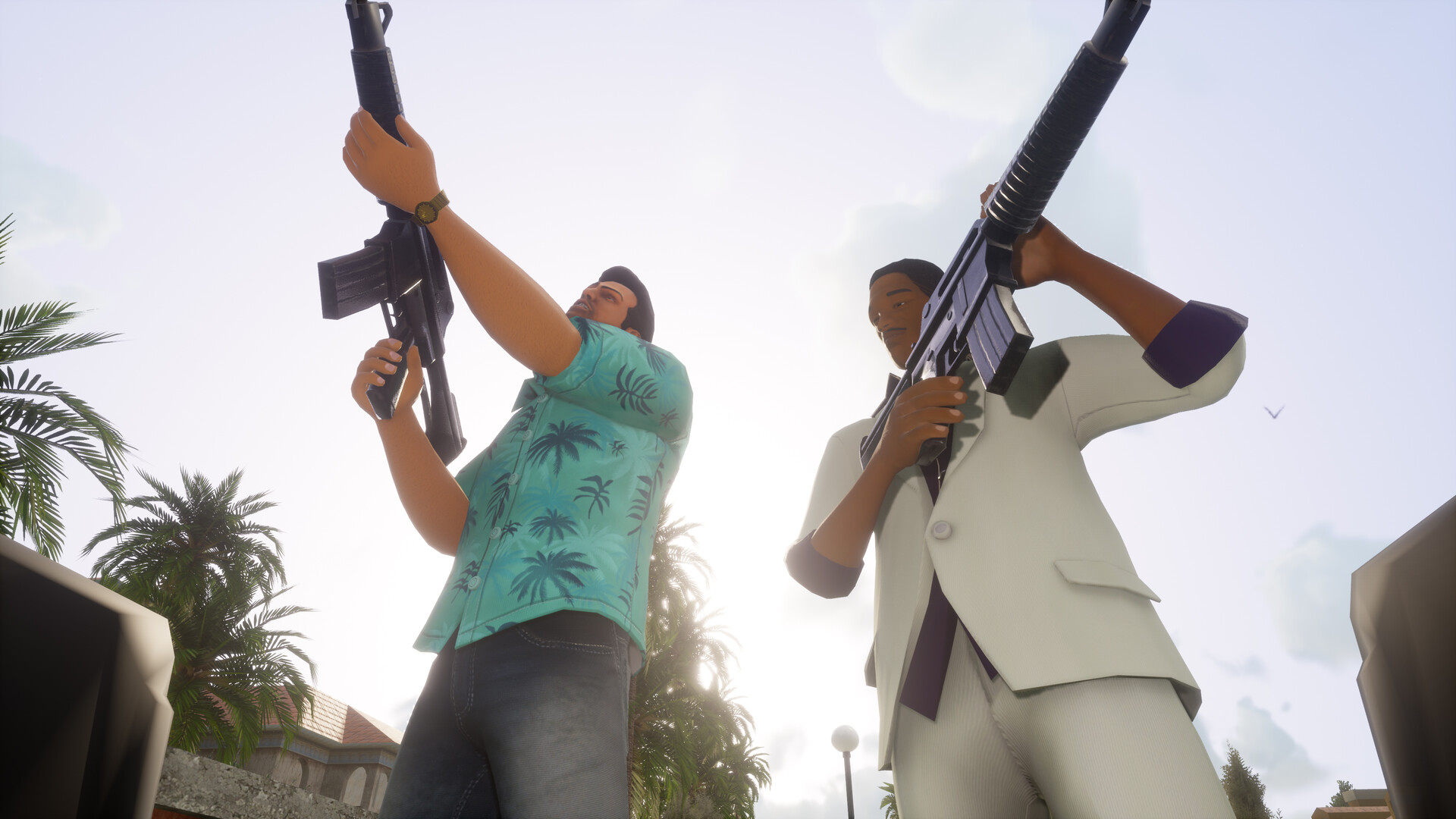
Official Vice City Definitive Edition promotional gameplay image
Definitive Edition commercial-game screenshot · not revcDOS gameplay. Image source

About Grand Theft Auto: Vice City and the linked project

Vice City follows Tommy Vercetti through an open-world crime story inspired by the 1980s, with vehicles, missions and businesses across a neon coastal city. DOS.Zone’s revcDOS is a third-party browser port of reVC. Its current page requires your own game data and links preparation instructions. It is separate from Rockstar’s installed Definitive Edition and remains unverified by a browser playthrough here.

Getting Started with Grand Theft Auto: Vice City

01

Read the project’s requirements

Open revcDOS and follow its linked repository. The project separates the WebAssembly runtime from compatible game resources. A purchase of the remaster does not establish compatibility with the original-data converter.

02

Prepare your original PC game data

Use the repository’s Docker-based data compiler with your owned original Vice City input folder and a new output folder. Its instructions cover image-archive extraction and audio conversion; the generated data is different from pointing at an arbitrary retail installer.

03

Select the converted resources

Follow the hosted project’s data-selection flow. The local-hosting instructions specifically say to select the vc-assets folder. Allow the initial files to load, focus the game and review its Controls menu before starting a session.

04

Record actual gameplay separately

Confirm scene rendering, movement, vehicles, audio, saving and a mission transition before describing the project as verified. A successful page response or file conversion alone is not gameplay evidence.

Controls & Input Requirements

These inputs describe the linked project or original game. Follow the platform-specific notes and the primary documentation before starting.

revcDOS · DOS.Zone controls and input requirements
ACTIONINPUTNOTES
Move / lookIn-game Controls menuReview the active keyboard and mouse scheme before play; bindings are not independently verified here.
Touch / controllerProject’s gamepad and touch overlayThe published runtime includes GamepadEmulator.js. Device behavior needs a separate practical check.
Menu / pauseUse the game menu and browser focus controlsBrowser shortcuts and focus can affect input. This guide does not promise an untested key mapping.

Technology, Files & Platform Requirements

A reVC WebAssembly runtime

The upstream repository identifies index.js / index.wasm as the module and game.js as its launcher. IndexedDB and the js-dos cloud-save SDK are part of the published runtime. This is a browser engine port, not a cloud video-streaming claim.

Conversion and asynchronous resources

The official project instructions convert original resources, extract paired IMG / DIR archives and process audio before play. Startup files are loaded first and additional resources requested on demand; an incomplete conversion can fail after the menu appears.

Old removal and current successor

The older DOS.Zone Vice City page displays a Take-Two takedown notice and points to revcDOS. The successor explains that the project was reformatted to require supplied game data. The historical removal does not mean the current own-files page is inactive.

Recorded Project Status

HTTP OBSERVATION

Not checked · No HTTP result

Not checked

PROBE DURATION

—

Page request time, not gameplay latency.

BROWSER GAMEPLAY CHECK

Not completed

Review: candidate

HTTP reachability does not verify rendering, controls, audio or multiplayer. Refresh reads the published snapshot; it does not run a new game test.

Health History & Changelog

UTC · PROJECT CHECKS
CHECKED ATSTATUSPROBE DURATIONNOTES
No recorded HTTP observations are available for this project.

Recorded HTTP responses and page markers. Game performance may differ.

View the complete project evidence dashboard

Game & Project Images

Vice City Definitive Edition official gameplay reference
Official commercial-remaster screenshot · not a captured browser session. Source
Vice City Definitive Edition official title artwork
Official commercial-edition artwork · not a captured browser session. Source

Vice City Definitive Edition promotional images © Rockstar Games / Take-Two Interactive. These commercial-edition images are references, not a screenshot of revcDOS.

Troubleshooting

The old Vice City URL shows a removal notice

Use the current Open revcDOS action. It follows the successor linked by DOS.Zone itself. It still needs compatible game data; the historical demo is not presented as a free launch.

The converter fails

Use the repository’s current prerequisites and a new output directory. Confirm Docker can access the input and output paths. The project calls out missing adf2mp3.exe and an already-existing output folder as failure cases.

The menu loads but the world or audio is missing

Check that all generated resources are present and accessible; the runtime loads more files on demand. Consult the project’s data compiler instructions before replacing browsers or treating the page HTTP result as proof of complete loading.

Saving or controller input is unreliable

Use the upstream support channel and report the browser, device, data version and exact reproduction steps. Cloud saves and the gamepad bridge are upstream features, not independently validated services of this directory.

Frequently Asked Questions

Is revcDOS an official Rockstar browser release?

No. DOS.Zone identifies itself as the port author. Rockstar’s commercial Definitive Edition is a separate installed product.

Do I need my own game files?

Yes. The current project page requires user-supplied data. Its repository describes preparing compatible resources from the original Vice City game data.

Can I use the Definitive Edition purchase as the browser asset pack?

Compatibility is not established. The linked converter asks for original game data, so the remaster store is labeled as an official-play alternative rather than an asset guarantee.

Is it already verified playable here?

No. Source and requirements have been researched, but this directory has not completed a browser session covering controls, audio, missions and saving.

Sources & Useful Links

Editorial review: 2026-10-17 10:44:51 UTC · This date records source research, not a gameplay test.

Similar Games

InBrowserGames.org

Discover browser game projects, setup guides and official ways to access classic games. An independent directory linking to creators and publishers.

Games run on third-party websites. Game data files are not hosted here.Project availability is based on the latest recorded checks.