Prepare the original game directory
Locate your installed Half-Life directory. Select its parent/root containing valve, not an individual PAK. Keep the complete directory structure when preparing a ZIP.
WebXash runs Half-Life through Xash3D FWGS in WebAssembly. Bring your complete valve game folder; the launcher also exposes separate demo choices.
ORIGINAL GAME
Half-Life · Valve · 1998
BROWSER ENGINE
Xash3D FWGS · WebAssembly
RETAIL REQUIREMENT
Owned complete valve folder / correctly structured ZIP
SAVE HANDLING
Browser IndexedDB manager; export important saves
For the retail campaign select the root folder containing valve, or a ZIP with valve at its root. A lone pak0.pak is not the documented input. No files are selected or uploaded by InBrowserGames.
WebXash provides a browser frontend for Half-Life 1 and Counter-Strike 1.6 through Xash3D FWGS compiled to WebAssembly. It loads files you already own rather than supplying the retail Half-Life campaign. The launcher additionally presents HLDM, Uplink and Day One demo choices, whose successful download and play have not been verified here.
Locate your installed Half-Life directory. Select its parent/root containing valve, not an individual PAK. Keep the complete directory structure when preparing a ZIP.
Use Open game folder when supported, or the launcher’s ZIP option. After import, select the game directory. Choose a built-in demo only if you want that separate experience.
Check movement, looking, use and fire in a safe area. Make a save, confirm it appears in the manager and download a backup before relying on a long play session.
These inputs describe the linked project or original game. Follow the platform-specific notes and the primary documentation before starting.
| ACTION | INPUT | NOTES |
|---|---|---|
| Movement / aiming | Review Options → Keyboard / Mouse | Bindings belong to the loaded game and its configuration. |
| Jump / crouch / use | Set in the game options | Remap combinations that conflict with browser shortcuts. |
| Capture the mouse | Click the focused game canvas | Release capture to return to the surrounding launcher. |
| Protect the tab | Prefer fullscreen for Ctrl+W combinations | Upstream warns that crouch plus forward can trigger the browser close-tab shortcut. |
The frontend documents read-only folder access and transfers selected game data into an in-memory WASM filesystem for the session. It does not modify the selected installation folder.
A mod or expansion folder belongs beside valve. Supply the base game too, then use the documented -game argument for the desired mod; engine compatibility remains mod-specific.
The README describes dedicated WebSocket-enabled HLDM and CS server containers, with a directly supplied multiplayer address. Native Steam server discovery is not promised.
The frontend captures saves into IndexedDB and groups them by game/mod. Export important saves; clearing site storage or changing browser profiles can remove local data.
HTTP OBSERVATION
reachable · 200
2026-10-17 08:20:13 UTC
PROBE DURATION
591 ms
Page request time, not gameplay latency.
BROWSER GAMEPLAY CHECK
Not completed
Review: candidate
HTTP reachability does not verify rendering, controls, audio or multiplayer. Refresh reads the published snapshot; it does not run a new game test.
| CHECKED AT | STATUS | PROBE DURATION | NOTES |
|---|---|---|---|
| 2026-10-17 08:20:13.766 UTC | reachable · 200 | 591 ms | HTTP 200 OK, expected marker verified |
Recorded HTTP responses and page markers. Game performance may differ.
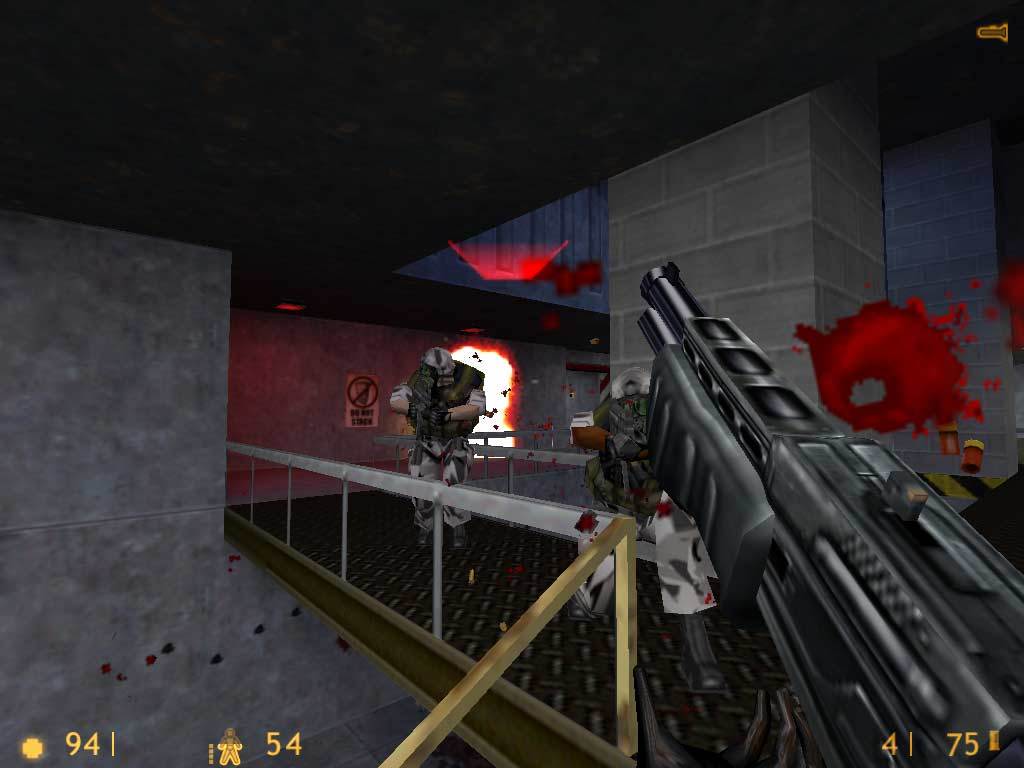
The artwork and screenshot are from Valve’s Half-Life Steam listing. They show the original game, not an observed WebXash session.
Check that the chosen folder or ZIP contains valve directly, alongside any mod folder. A nested archive or single PAK is not the documented structure.
Check its launch argument and upstream Xash3D compatibility list. Try the base game first to distinguish missing shared data from an unsupported mod.
Use a compatible WebSocket server address and the documented LAN Game menu flow. The README does not promise normal internet server discovery.
Check the selected game/mod name and the save manager. Import a previously downloaded backup where available. Do not clear browser storage while diagnosing missing saves.
No. The documented retail workflow uses a complete valve folder under the selected game root, or a ZIP preserving that layout.
This guide concerns the original Half-Life / GoldSrc-compatible game data. Those are different engines and are not inputs claimed by this project.
No. Uplink, Day One and HLDM are separate launcher choices. Their presence does not supply the purchased retail campaign.
The project recommends a keyboard and mouse and points mobile users toward native Xash3D ports. Touch controls and mobile compatibility have not been validated here.
Editorial review: 2026-10-17 10:44:40 UTC · This date records source research, not a gameplay test.