Confirm the public entry is reachable
Open QuakeJS and check for a normal page rather than a connection or certificate failure. If the browser raises a security warning, stop there and consult the project status or repository.
QuakeJS brings ioquake3 to JavaScript through Emscripten with WebSocket networking. Public demo access and content availability remain unverified.
ORIGINAL GAME
Quake III Arena · id Software · 1999
BROWSER ENGINE
ioquake3 → Emscripten / JavaScript
NETWORK
WebSockets; native-client interoperability not promised
PUBLIC DEMO
Upstream-linked; HTTPS retrieval unresolved
The upstream README points to quakejs.com. Its HTTPS endpoint could not be retrieved reliably during research, so treat Open QuakeJS as an attempt to reach the candidate. Required content and any licence prompt depend on the deployment.
Quake III Arena is id Software’s multiplayer-focused arena FPS, also offering bot opponents. QuakeJS adapts ioquake3 to JavaScript using Emscripten and browser networking. It is an independent project with a documented demo host, rather than a guarantee that the current public service, every map or a native server is accessible.
Open QuakeJS and check for a normal page rather than a connection or certificate failure. If the browser raises a security warning, stop there and consult the project status or repository.
If the service loads, inspect the available maps, rules and any displayed content terms. Do not assume the full retail catalogue is included because the engine source is public.
Review controls, enter a supported arena and check movement, aiming, weapon pickups, damage, audio and respawn. Record the selected map, server and browser; multiplayer needs another participant to validate interaction.
These inputs describe the linked project or original game. Follow the platform-specific notes and the primary documentation before starting.
| ACTION | INPUT | NOTES |
|---|---|---|
| Movement | Inspect Setup → Controls | The original engine exposes forward, backward and strafe actions. A browser deployment may customize its defaults. |
| Jump / crouch | Space / C in the original controls source | Verify active bindings in the running browser build. |
| Weapon selection | 1–9 in the original base-game controls | Available weapons depend on the map and inventory; mods can differ. |
| Scores / use item | Tab / Enter in the original controls source | Browser shortcuts and deployment settings may override these defaults. |
| Fire / mouse look | Review attack and free-look bindings | Configure them in the actual browser session before joining a match. |
QuakeJS repackages PK3 content into map-specific packages. A working engine page can still fail when its content host or a requested map is unavailable.
The upstream README states that native and web builds cannot directly interact through its current networking path. A random native Quake III server address is not evidence of browser compatibility.
Upstream describes separate web, dedicated-game and content processes. The host must provide compatible content for its selected mod and maps, and handle its own game-data permissions.
HTTP OBSERVATION
Not checked · No HTTP result
Not checked
PROBE DURATION
—
Page request time, not gameplay latency.
BROWSER GAMEPLAY CHECK
Not completed
Review: candidate
HTTP reachability does not verify rendering, controls, audio or multiplayer. Refresh reads the published snapshot; it does not run a new game test.
| CHECKED AT | STATUS | PROBE DURATION | NOTES |
|---|---|---|---|
| No recorded HTTP observations are available for this project. | |||
Recorded HTTP responses and page markers. Game performance may differ.
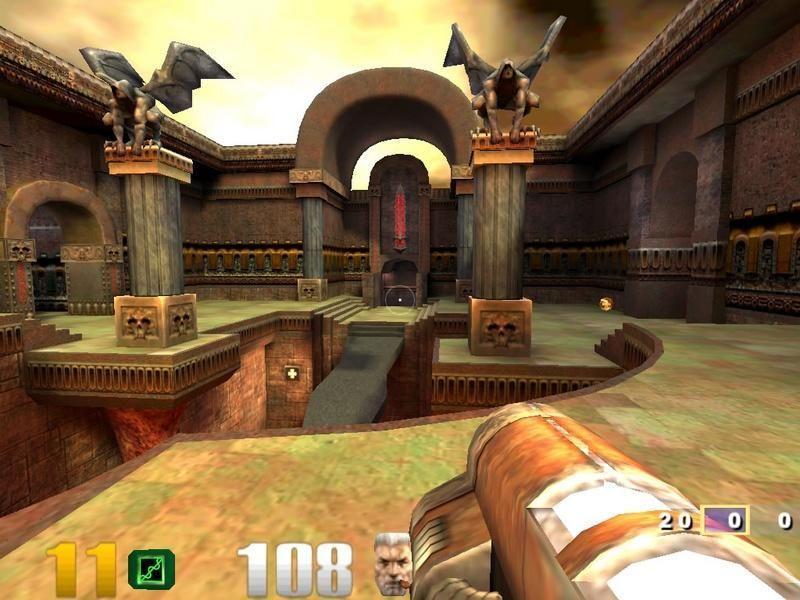
Images are from the original Quake III Arena Steam listing. They illustrate the commercial game; they are not proof of an active QuakeJS server or a completed browser match.
The research fetch encountered a TLS-side service failure. Retry the original destination later or consult upstream; this guide does not replace it with an unverified mirror.
Check whether the content server contains the selected map and mod. The README calls out that dependency explicitly; a server-list entry alone does not establish usable assets.
Use a QuakeJS-compatible server. The documented WebSocket transport differs from normal native-client networking.
Check that the deployment repackaged the matching PK3 data and serves its manifest. Diagnose with its supported base map before assuming an arbitrary mod will work.
The candidate is documented upstream, but reliable HTTPS access and actual gameplay were not established in this research. The page therefore stays unverified.
No such claim is made. Content depends on the deployment’s packages and manifest, and the engine’s availability does not grant access to every retail asset.
No. Steam is the original-game purchase and reference-image destination. QuakeJS is a separate third-party browser project.
No. Engine startup, asset loading, compatible server connection and interaction with another player are separate checks.
Editorial review: 2026-10-17 10:44:40 UTC · This date records source research, not a gameplay test.