REFERENCE & ACCESS GUIDESkate 3 · Xbox Cloud GamingSource-linked project & access information

Skate 3 in Browser — Cloud Gaming & Requirements

Skate 3 in browser uses Xbox Cloud Gaming where your account and region are eligible. Controller and service entitlement required; cloud session unverified.

GAME

Skate 3 · EA Black Box / Electronic Arts

SETTING

Port Carverton · team skateboarding

BROWSER ACCESS

Xbox Cloud Gaming · streamed console game

INPUT / ACCESS

Controller · Microsoft sign-in · regional entitlement

Open Xbox Cloud opens the official Skate 3 cloud page. Sign-in, a supported region, compatible controller and the entitlement shown for your account are required. The reviewed US cloud page displays Game Pass Ultimate and a purchase requirement; the store page also advertises inclusion, so confirm the signed-in offer before paying.

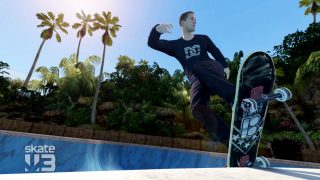
Skate 3 Hawaiian Dream DLC official promotional gameplay image
Hawaiian Dream DLC reference screenshot from EA · add-on content, not a cloud-session capture. Image source

About Skate 3 and the linked project

Skate 3 is EA Black Box’s skateboarding game set in Port Carverton. It centers on building a skate team, challenges and trick-based skating, with Skate.School for learning the stick controls. Xbox lists the actual Skate 3 title for cloud access. This browser route streams a remotely executed console game; it is not a native WebGL port or the newer, separate skate. game.

Getting Started with Skate 3

01

Check cloud eligibility

Open the exact Skate 3 Xbox Cloud page, sign in and read the requirements shown for your region and account. The public cloud and store pages currently phrase purchase and inclusion differently; use the signed-in service to confirm access.

02

Connect a supported controller

The Skate 3 cloud listing says Play with controller. Connect your compatible controller by USB or Bluetooth and check that Xbox recognizes it before starting. Do not assume keyboard controls or touch play are offered for this title.

03

Start the cloud session

Use the official service’s Play control when available. The game runs remotely, so allow for service queues and network latency. Xbox recommends a stable connection of at least 20 Mbps and wired networking or suitable 5 GHz Wi-Fi.

04

Learn in Skate.School

Use Skate.School and the game’s own on-screen trick guides to practice the stick movements. Validate movement, camera, tricks, audio and session saving before treating your browser and controller combination as tested.

Controls & Input Requirements

These inputs describe the linked project or original game. Follow the platform-specific notes and the primary documentation before starting.

Skate 3 · Xbox Cloud Gaming controls and input requirements
ACTIONINPUTNOTES
Input deviceCompatible game controllerThe official cloud listing specifies controller play; keyboard-only support is not claimed.
Trick learningSkate.School / Flickit trick analyzerEA identifies these in-game learning tools. Follow the active control prompts for your controller.
Menus / session controlsGame prompts / Xbox cloud overlayUse the service overlay for cloud-session actions and the game menu for skating settings; they have different roles.

Technology, Files & Platform Requirements

Remote execution, browser video

Xbox describes Cloud Gaming as streaming through apps and browsers. The console game executes on the service while your device receives the stream and sends input. The prior mock claim of browser console-emulation nodes is not an identified project.

Access is an external service contract

Cloud access depends on supported countries, account eligibility, subscription and title entitlement. A reachable public listing is evidence of the offer, not proof that your account can enter a game session.

Skate 3 and skate. are separate games

EA’s Skate 3 page names Black Box and Port Carverton. The newer skate. FAQ describes a free-to-play online game set in San Vansterdam. Its free-to-play model, engine and features must not be assigned to Skate 3.

Source Review & Availability

Xbox Cloud; controller and entitlement required

This is a researched reference guide. Official purchase links, native downloads and cloud services are labeled separately from browser engine ports. No HTTP monitoring or gameplay verification is claimed for an unregistered browser project.

Game & Project Images

Official Skate 3 Hawaiian Dream DLC screenshot from EA
EA promotional screenshot of add-on content · availability is separate from the base game. Source
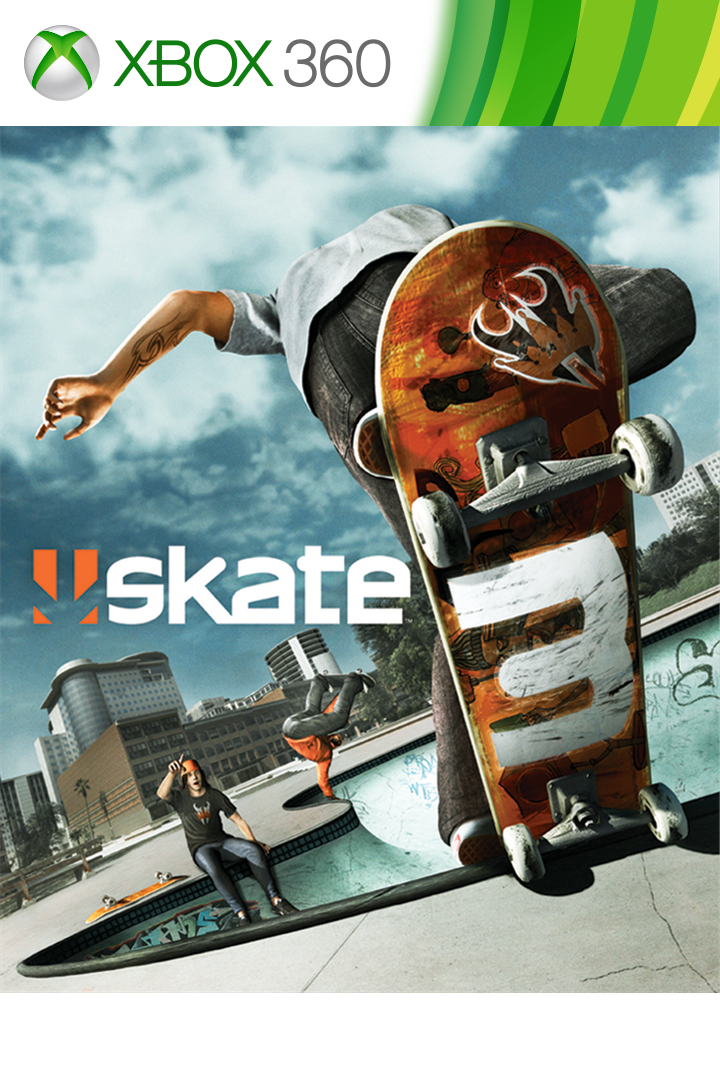
Skate 3 official Xbox game artwork
Official title artwork · not a capture of a browser streaming session. Source

Official Skate 3 images © Electronic Arts, sourced from EA and Microsoft. The gameplay image depicts Hawaiian Dream DLC, which is separate add-on content; neither image proves an authenticated cloud session.

Troubleshooting

Sign-in works but Play is unavailable

Check the signed-in title offer, subscription and supported region. Public promotional copy does not guarantee account eligibility. Use Xbox Support for billing or entitlement issues rather than retrying a supposed WebGL download.

Controller is not detected

Connect a service-supported controller before opening the session and check it in the Xbox interface. Skate 3 is marked controller play; a keyboard or generic touch overlay is not a substitute guaranteed by this guide.

Video looks compressed or tricks feel delayed

Check connection stability and use wired Ethernet or reliable 5 GHz Wi-Fi where possible. Cloud video quality and input latency differ from local rendering performance, so a WebGL benchmark does not diagnose the session.

The session starts but online game features fail

Cloud startup and Skate 3 multiplayer are separate checks. Record the exact in-game error and account before contacting Xbox or EA support; no successful multiplayer session has been recorded by this directory.

Frequently Asked Questions

Is this actually Skate 3?

Yes: the linked Xbox product is Skate 3, with Electronic Arts Blackbox as developer. It is not the newer skate. title or a browser clone.

Is a console or a local game-file upload required?

The cloud route streams from Xbox rather than importing your local game files. It still requires the service’s account, supported device, region and current entitlement.

Is the cloud session verified here?

No. The official public listing and requirements are researched, but sign-in, queueing, controls and an interactive skating session have not been completed by this directory.

Is Skate 3 free in a browser?

It is not presented as a free browser game. Review the signed-in Xbox offer; the reviewed public pages describe subscription and entitlement conditions.

Sources & Useful Links

Editorial review: 2026-10-17 10:44:51 UTC · This date records source research, not a gameplay test.

Similar Games

InBrowserGames.org

Discover browser game projects, setup guides and official ways to access classic games. An independent directory linking to creators and publishers.

Games run on third-party websites. Game data files are not hosted here.Project availability is based on the latest recorded checks.