Install the desktop game
Choose your platform on OldUnreal’s installer page. The installer downloads and extracts the GOTY game and patches it. Linux and macOS users should follow the linked GitHub instructions.
Unreal Tournament 99 in browser: no supported port is established here. Compare browser availability with OldUnreal’s maintained desktop installers.
GAME
Unreal Tournament · 1999 arena FPS
SUPPORTED ROUTE
OldUnreal native desktop installers
BROWSER BUILD
No sourced candidate in this guide
PATCH LINE
OldUnreal v469 · check current release notes
Download Installer opens OldUnreal’s desktop installation instructions. This page does not offer a UTJS browser launch.
Unreal Tournament is Epic’s arena FPS, built around Deathmatch, Capture the Flag, Domination and Assault. Computer-controlled bots provide opponents for offline practice. The sourced route here is OldUnreal’s maintained desktop version: its installers retrieve the GOTY disc contents and apply the community patch. A full UT99 browser port has not been established by the primary sources reviewed.
Choose your platform on OldUnreal’s installer page. The installer downloads and extracts the GOTY game and patches it. Linux and macOS users should follow the linked GitHub instructions.
Begin with an offline Botmatch and a low difficulty, then explore a team mode. Confirm movement, primary fire and alternate fire before joining a live server.
Read the release notes for the version you install. Keep a backup before adding older native mods; patch compatibility can differ from UnrealScript-only content.
These inputs describe the linked project or original game. Follow the platform-specific notes and the primary documentation before starting.
| ACTION | INPUT | NOTES |
|---|---|---|
| Configure movement and combat | Options → Preferences → Controls | Desktop UT99 bindings depend on your installed configuration; inspect them before a match. |
| Primary / alternate attack | Mouse buttons · configurable | UT weapons have distinct fire modes. This describes the PC game, not a browser key map. |
| Mouse input | Raw input / smoothing settings | OldUnreal adds mouse-input options; adjust sensitivity in the native client. |
The maintained project supplies native game clients, renderers and audio drivers. Its OpenGL and SDL support should not be described as proof of a WebAssembly or WebGL port.
OldUnreal says it took over code-base maintenance by agreement with Epic in 2019. The v469 patch line addresses stability, security and modern operating systems.
Desktop installer available; no sourced browser candidate.
This is a researched reference guide. Official purchase links, native downloads and cloud services are labeled separately from browser engine ports. No HTTP monitoring or gameplay verification is claimed for an unregistered browser project.

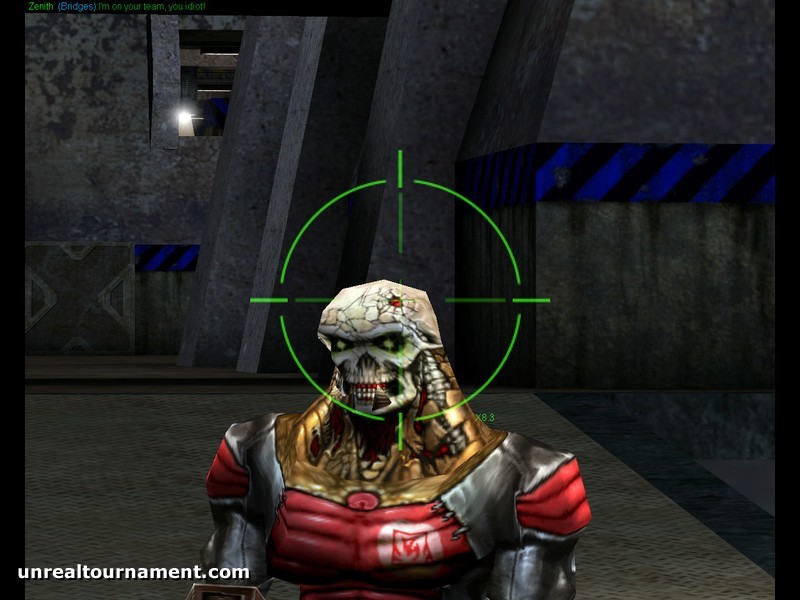
Publisher-supplied Unreal Tournament artwork and screenshot from Steam. They depict the original PC game, not a verified browser session. © Epic Games.
That is the expected result of the installer link. Run the appropriate native installer on a supported computer.
Read the patch compatibility list. Some old native modules and renderers need replacement; record the game version and mod when reporting the issue.
The publisher’s Steam listing states the GOTY edition is no longer sold there. Use OldUnreal’s installer instructions for the documented access route.
No primary source for the earlier UTJS claim was established. This guide supplies the maintained desktop route without assigning a fictitious browser launch.
The PC game supports bot matches. Offline practice and an online multiplayer session are separate things to verify.
This entry concerns the original 1999 game and GOTY edition. Follow the exact UT99 / v469 instructions, not instructions for UT2004 or UT3.
Editorial review: 2026-10-17 10:45:07 UTC · This date records source research, not a gameplay test.